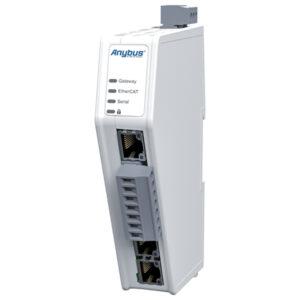
CAN-FD to USB adapter

Category:

 Connect any CAN-FD bus to your PC via USB port !

CAN-FD to USB adapter is a simple plug and play device that allows your CAN-FD bus get connected to a PC via USB port. This adapter is capable of interfacing with the open-source software tool called “Bus Master” that can simulate, analyze and test data in a CAN bus. The CAN-FD bus in this adapter is galvanically isolated up to a maximum of 500 volts from the PC.CAN-FD to USB adapter is delivered with PreciCon – intuitive configuration and analysis software. PreciCon is can be used to configure the adapter to work with your vehicle CAN bus.


Secure internal storage:

Acquired CAN data are available in inbuilt micro-SD card storage which stores the data more securely with encryption. The stored data can be decrypted and viewed  using the PreciCon tool.

Quick configuration:

Connect the CAN-FD to USB adapter to your computer to configure the device to work with your vehicle using the free configuration tool PreciCon.

Simple Mounting and Ready to go:

Durable, robust ABS plastic enclosure can withstand the toughest conditions.
Rigidly screw your adapter with available flange arrangement and get ready
to log /view live data.


Typical Application

With its compact design and USB 2.0 connectivity, the adapter ideally suits for protocol analysis and testing of CAN bus enabled automotive /industrial devices!

Triggers_Loop.gif

Applications

Rare event capture:

Record important events based on real-time, such as:

CAN ID: Log data from the specific/ defined ids. Create conditions based on CAN ids.

J1939 DM1 Counter:  Count the faults in the j1939 DM1 messages. ​

LEDs indicate when the trigger is active.​

External digital switches ​

Pre-trigger timer


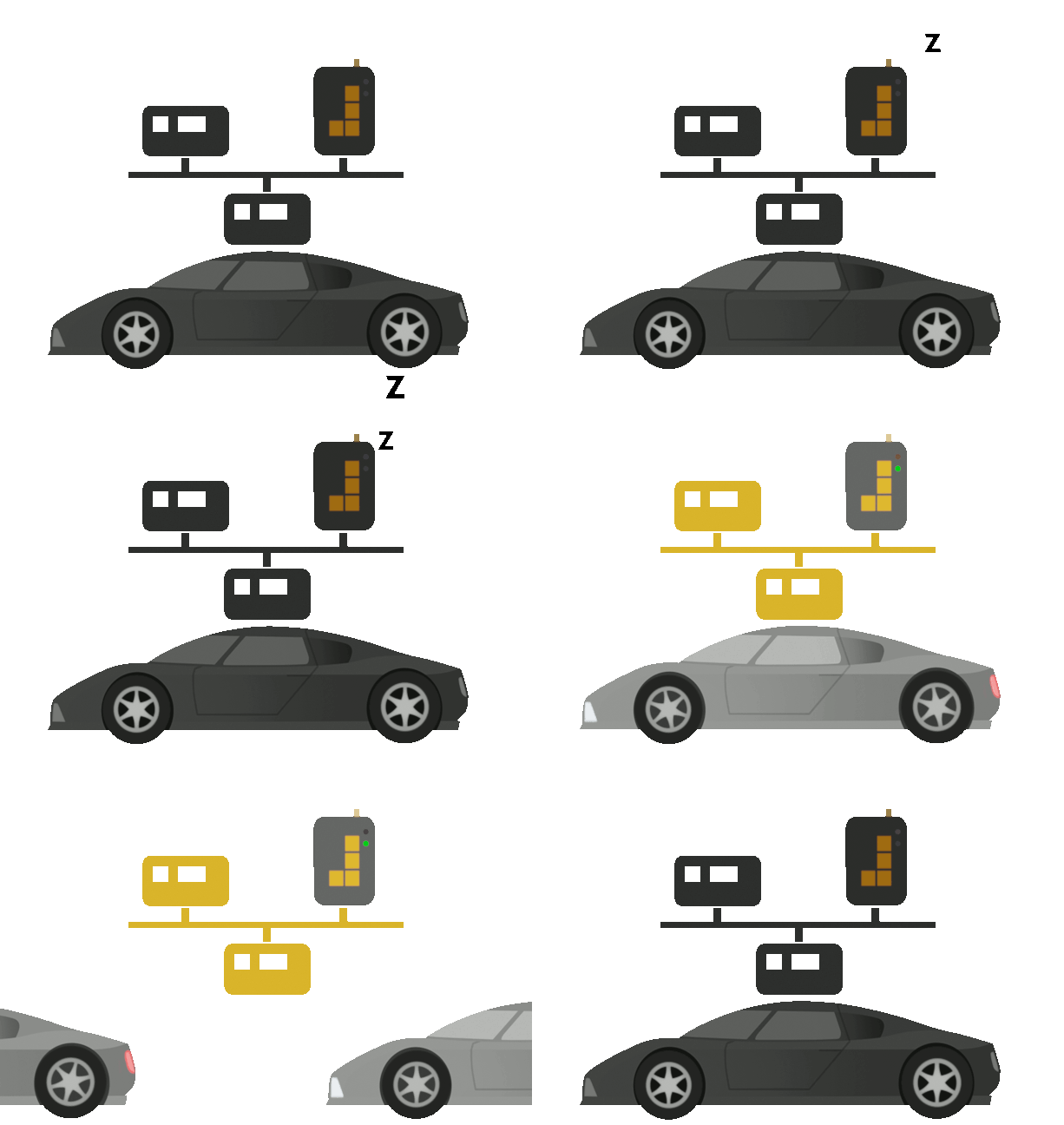
WakeOnCANv5.gif

Sleep Mode to save vehicle battery

The CAN-FD to USB adapter includes
Power Down Mode: Deep Sleep Mode when no activity detected
WakeOnCAN: Wake up instantly with CAN activity
WakeOnAlarm: Wake up the logger when specified
WakeOnDigitalinputs: Wake up on ignition, KL15, external switch etc.
WakeOnMovement: Wake up on physical movement e.g. impact or detecting movement in the vehicle


                                   Pro-Spec data loggers: No messages missed No Messages Missed.gif
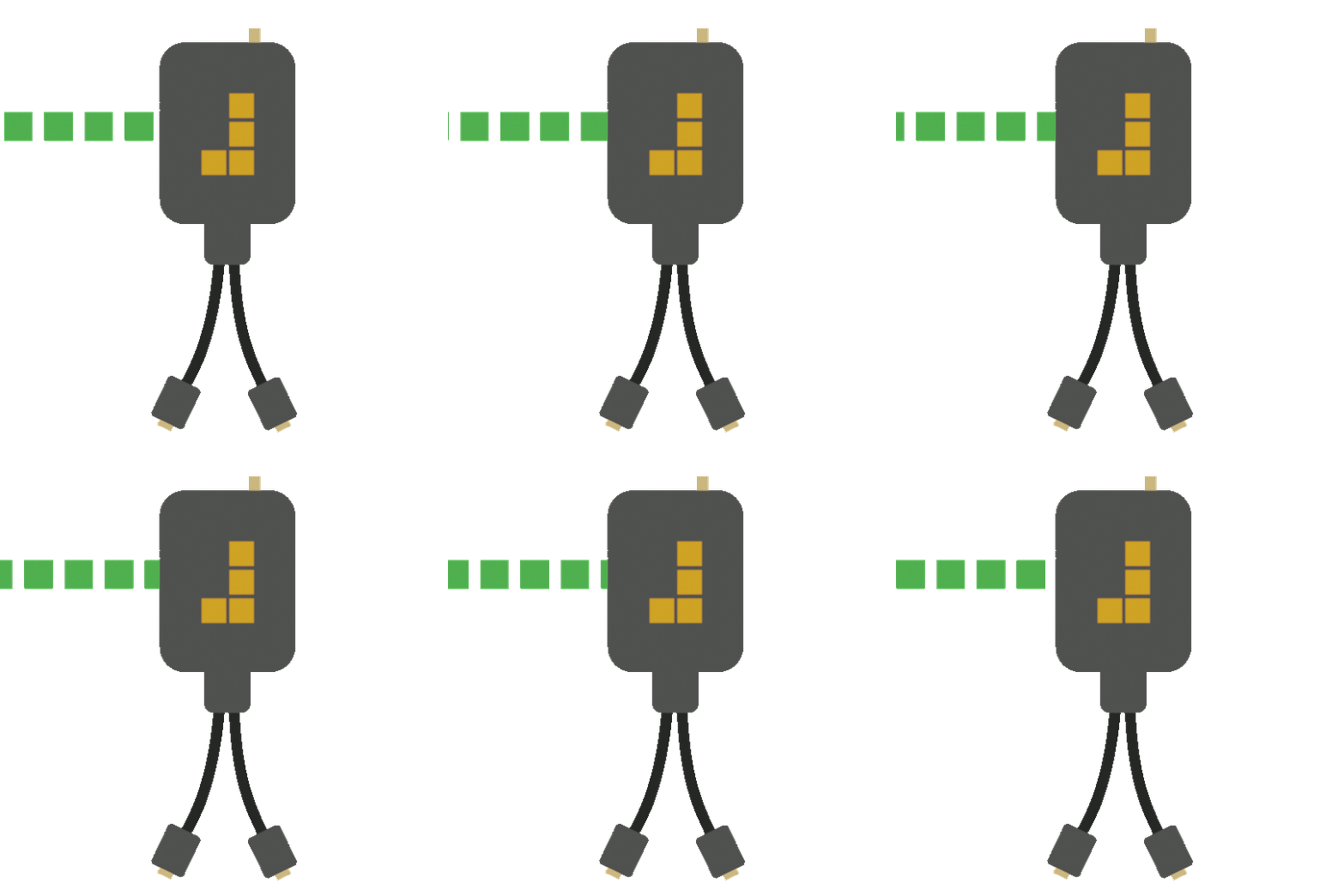
                                      Zero data loss: Capture rare, single and multiple events

                                      Critical data: Essential for project management

                                      Quick change of state: Ready for data capture
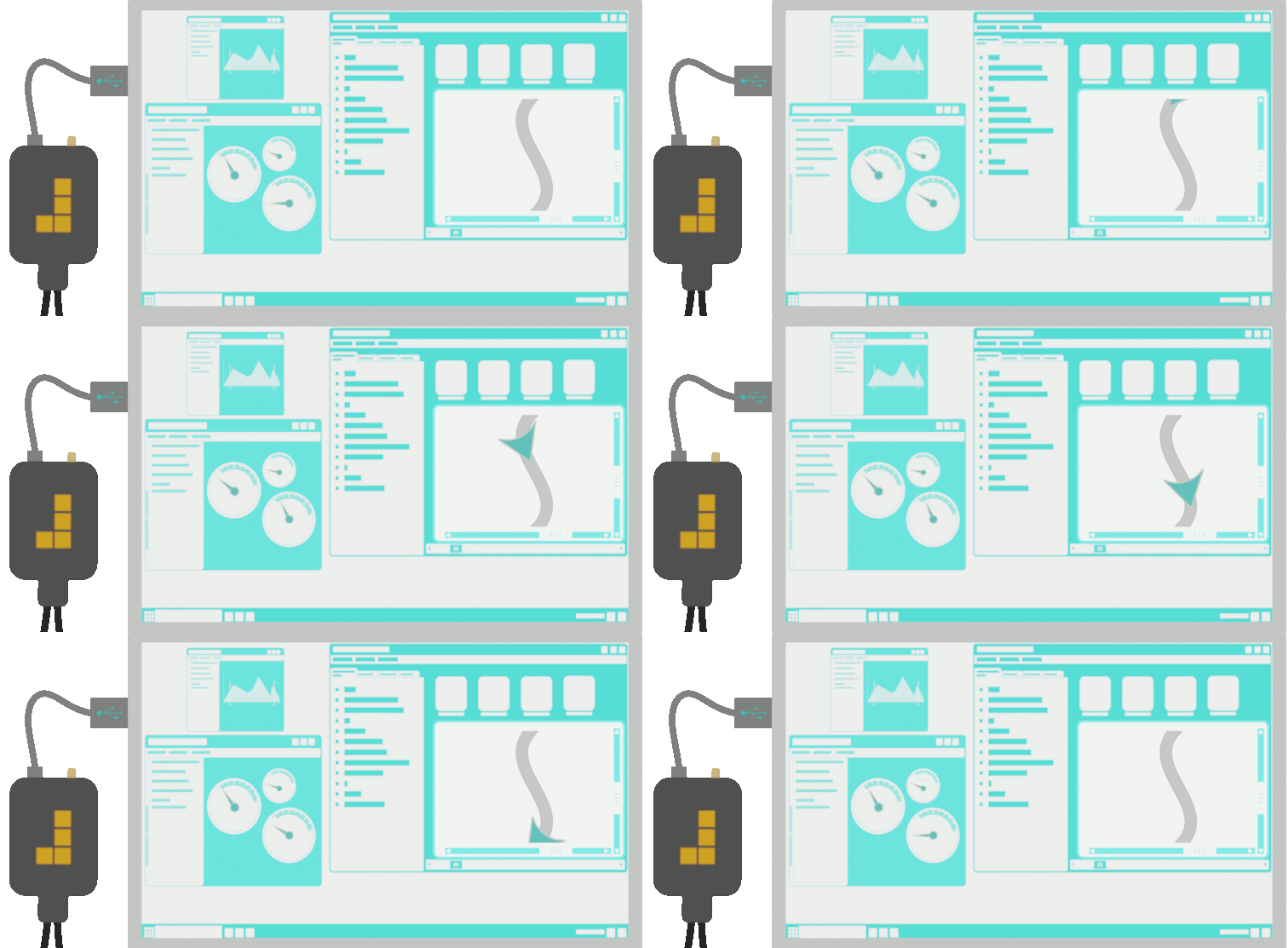


Passthroughv3.gif

Supports Interface J2534 (pass-thru)

Active data logging with an interface that supports pass-thru.
Analyse your vehicle’s CAN data directly on a
laptop with the ability to access remote data collection. 


Frequently asked questions

  • What are the supported data formats?
    CSV, MF4, MAT, ASC, blf
  • CAN we monitor live data?
    Yes, options for Live trace are available.
  • Is it possible to have 4 channels CAN FD?
    Yes, there are separate products supporting that function.
  • What are the main features available with PreciCon?
    CAN live view, filter, trigger, sleep modes, DBC option.
  • Why is CAN-FD to USB adapter not getting interfaced with the PreciCon?
    Please ensure that you have installed the driver. If not, you can contact Precisol Automation for the same.
  • Why does exported CSV data have gaps in it?
    PreciCon Doesn’t export data after Interpolation or Resampling; the data is recorded and timestamped as received from the CAN bus. The gaps will be due to the difference in the transmission rate of various CAN messages.
  • Why is PreciCon not opening after installation?
    Make sure that Visual C++ Redistributable x64 is installed.
  • Why my adapter is not getting Detected?
    Make sure that the CAN-FD to USB adapter Driver is installed on your computer; refer adapter Support page for instructions.


Key Features

Key Features

Feel free to click the Icons for more info

1x CAN 2.0

uSD card Storage( 8 GB)

IP65

USB 2.0 Interface

J1939 support

Supports J2534

Real Time Clock

Free Configuration software PreciCon

Live CAN bus monitoring

Encryption Support

CAN Error Logging

Applications

Rare event capture:

Record important events based on real-time, such as:

CAN ID: Log data from the specific/ defined ids. Create conditions based on CAN ids.

J1939 DM1 Counter:  Count the faults in the j1939 DM1 messages. ​

LEDs indicate when the trigger is active.​

External digital switches ​

Pre-trigger timer


WakeOnCANv5.gif

Sleep Mode to save vehicle battery

The CAN-FD to USB adapter includes
Power Down Mode: Deep Sleep Mode when no activity detected
WakeOnCAN: Wake up instantly with CAN activity
WakeOnAlarm: Wake up the logger when specified
WakeOnDigitalinputs: Wake up on ignition, KL15, external switch etc.
WakeOnMovement: Wake up on physical movement e.g. impact or detecting movement in the vehicle


Pro-Spec data loggers: No messages missed No Messages Missed.gif

Zero data loss: Capture rare, single and multiple events

Critical data: Essential for project management

Quick change of state: Ready for data capture


Passthroughv3.gif

Supports Interface J2534 (pass-thru)

Active data logging with an interface that supports pass-thru.
Analyse your vehicle’s CAN data directly on a
laptop with the ability to access remote data collection. 


Frequently asked questions

  • What are the supported data formats?
    CSV, MF4, MAT, ASC, blf
  • CAN we monitor live data?
    Yes, options for Live trace are available.
  • Is it possible to have 4 channels CAN FD?
    Yes, there are separate products supporting that function.
  • What are the main features available with PreciCon?
    CAN live view, filter, trigger, sleep modes, DBC option.
  • Why is CAN-FD to USB adapter not getting interfaced with the PreciCon?
    Please ensure that you have installed the driver. If not, you can contact Precisol Automation for the same.
  • Why does exported CSV data have gaps in it?
    PreciCon Doesn’t export data after Interpolation or Resampling; the data is recorded and timestamped as received from the CAN bus. The gaps will be due to the difference in the transmission rate of various CAN messages.
  • Why is PreciCon not opening after installation?
    Make sure that Visual C++ Redistributable x64 is installed.
  • Why my adapter is not getting Detected?
    Make sure that the CAN-FD to USB adapter Driver is installed on your computer; refer adapter Support page for instructions.


Software

Software

Easy-to-use configuration and data handling software for Adapter…

PreciCon is our freely distributable software configuration and general-purpose software tool to work with Adapter. It is designed to make CAN bus data logging easy.

PreciCon supports multiple DBC files enabling configurations that includes filters and log on parameter values.

This software is designed to support Adapter through its entire lifetime, with tools for:

First-time Adapter set-up

Preparation and configuration for data logging

Data retrieval and conversion, with live data viewing

Key Features:

■ Supports industry-standard DBC files

■ Supports CAN and CAN FD (both ISO and non-ISO)

■ Supports standard and extended messages

■ Triggers, on parameter value or CAN Identifier

■ J1939 Identifier formatter and DM1

■ CAN error logging and Live CAN trace viewer

■ Fast data retrieval and export to other format files

■ Software Operating System: Windows

■ Modern, easy-to-use display with drag & drop interface


Applications

Rare event capture:

Record important events based on real-time, such as:

CAN ID: Log data from the specific/ defined ids. Create conditions based on CAN ids.

J1939 DM1 Counter:  Count the faults in the j1939 DM1 messages. ​

LEDs indicate when the trigger is active.​

External digital switches ​

Pre-trigger timer


WakeOnCANv5.gif

Sleep Mode to save vehicle battery

The CAN-FD to USB adapter includes
Power Down Mode: Deep Sleep Mode when no activity detected
WakeOnCAN: Wake up instantly with CAN activity
WakeOnAlarm: Wake up the logger when specified
WakeOnDigitalinputs: Wake up on ignition, KL15, external switch etc.
WakeOnMovement: Wake up on physical movement e.g. impact or detecting movement in the vehicle


                                   Pro-Spec data loggers: No messages missed No Messages Missed.gif

Zero data loss: Capture rare, single and multiple events

Critical data: Essential for project management

Quick change of state: Ready for data capture


Passthroughv3.gif

Supports Interface J2534 (pass-thru)

Active data logging with an interface that supports pass-thru.
Analyse your vehicle’s CAN data directly on a
laptop with the ability to access remote data collection. 


Frequently asked questions

  • What are the supported data formats?
    CSV, MF4, MAT, ASC, blf
  • CAN we monitor live data?
    Yes, options for Live trace are available.
  • Is it possible to have 4 channels CAN FD?
    Yes, there are separate products supporting that function.
  • What are the main features available with PreciCon?
    CAN live view, filter, trigger, sleep modes, DBC option.
  • Why is CAN-FD to USB adapter not getting interfaced with the PreciCon?
    Please ensure that you have installed the driver. If not, you can contact Precisol Automation for the same.
  • Why does exported CSV data have gaps in it?
    PreciCon Doesn’t export data after Interpolation or Resampling; the data is recorded and timestamped as received from the CAN bus. The gaps will be due to the difference in the transmission rate of various CAN messages.
  • Why is PreciCon not opening after installation?
    Make sure that Visual C++ Redistributable x64 is installed.
  • Why my adapter is not getting Detected?
    Make sure that the CAN-FD to USB adapter Driver is installed on your computer; refer adapter Support page for instructions.

Technical Specifications

Features & Benefits CAN-FD Features Bus Master Features Technical Specifications
· Adapter with high-speed USB 2.0 and high-speed CAN-FD interface

· Meet the CAN-FD specifications

· CAN-FD support adjustable for ISO and non-ISO standard

· Timestamp resolution 1mS

· Inbuilt 120ohms CAN termination selected using slide switch

· System status indication via LEDs

· The maximum of 64 data bytes per CAN FD frame can be transmitted with bit rates up to 5 Mbit/s.


· Single channel CAN-FD bus interface with galvanic isolation up to 500V

· Bit rate configurable from 25Kbit/s to 5Mbit/s (configurable via software)

· Can bus interface via standard DB9 connector

· TI’s CAN transceiver TCAN332

· Receiving and sending of CAN frames can reach up to 8500 Frames/second

· Inbuilt 120ohms CAN termination selected using slide switch

· Complete integration with GUI tool – BUS MASTER

· Real time CAN bus monitoring with time stamp accuracy of 1ms

· Support for Linux Operating System with SAE J2534 Interface Protocol Layer.

· Industrial grade hardware

· 5V Power supply via USB B connector

· CAN interface via DB9 connector

· 120 ohms Terminate selectable via slide switch

· Transient surge protection on USB and CAN bus

· Operating temperature: -40ºC to +85ºC

· Dimension: 95mm X 75mm X 30mm

· Weight: 216 g

· IP Rating: IP40

· Mounting Options: Wall mountable via flanges


Content of Delivery

· Adapter device with ABS enclosure

· Quick setup guide

· USB cable not included


Ordering Information

Ordering Code: PA-CFA 

Optional Accessories: NA

Shopping Cart
Scroll to Top